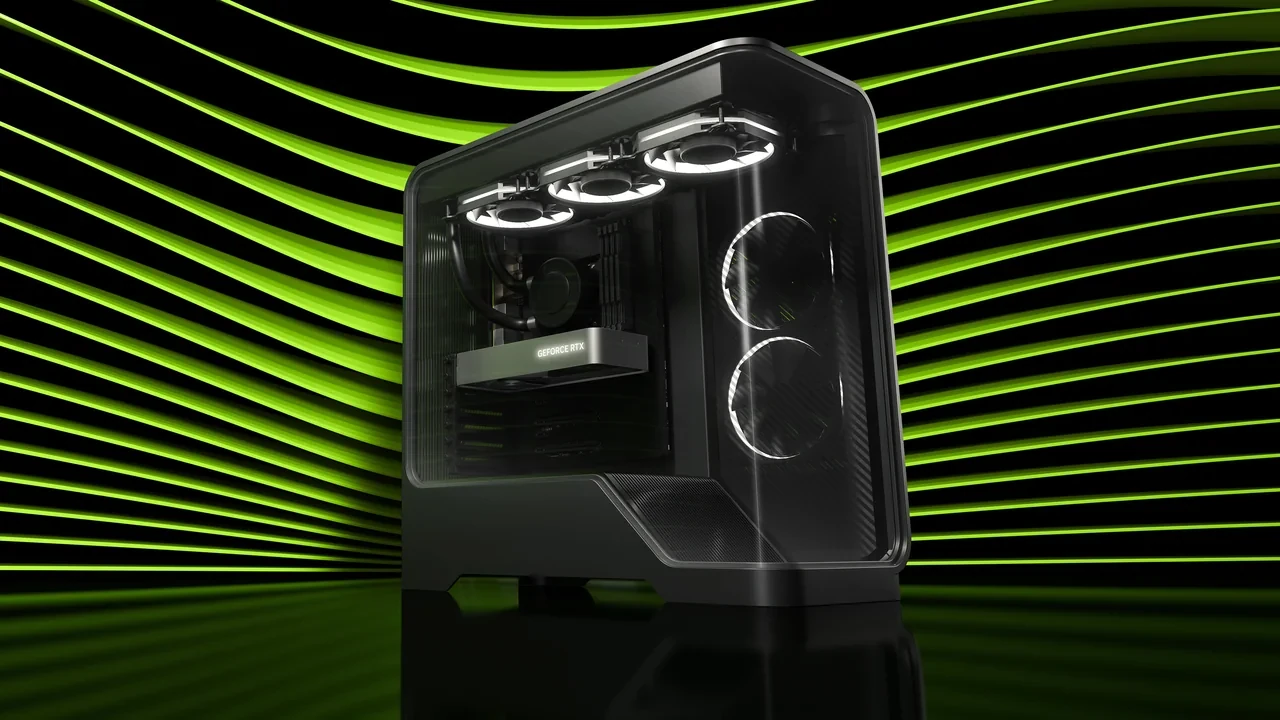
GeForce RTX 5070 Ti DLSS 5 benchmark: reading the first numbers
The only published launch figure is up to 350 FPS in NBA 2K27 at 2560×1440, using the Ultra preset with ray tracing and the full DLSS stack. It applies to the desktop GeForce RTX 5070 Ti. The number is a peak, not an average or a 1% low, and the broader public record remains gated until September 3, 2026 at 21:00 PT.
The desktop card belongs to the GeForce RTX 50 Series and is officially supported as a DLSS 5 product. Results from a laptop, Max-Q model, mobile part, D-series card, SUPER refresh, neighboring GPU, or another VRAM tier cannot be substituted. Independent results published after public drivers and title updates arrive will be needed before the launch claim can become a normal benchmark set.
Why the launch gate matters
The announcement provides a narrow preview result. Driver-side studio validation usually trails public availability, making the first 48 to 72 hours the least settled part of the record. Any production decision made in that period should be marked provisional.
- The measurement belongs to the desktop GeForce RTX 5070 Ti. Max-Q, mobile, Ti Super, and neighboring RTX 50 models need their own tests.
- The result uses the DLSS 5 upscaling and frame-generation tier. Earlier DLSS paths may exist in the same game, but they are not the launch configuration.
- Until independent reviewers test public drivers, every FPS claim remains a preview claim regardless of where it first appeared.
What the NBA 2K27 figure measures
The reported setup is NBA 2K27 at 2560×1440, Ultra, ray tracing enabled, full DLSS stack active, and up to 350 FPS. The qualifier matters because a peak can occur in a favorable part of a run. It does not describe the sustained average, the worst moments, or every frame in a match.
NBA 2K27 is heavily driven by animation, with dense character rigs, cloth, and crowd rendering. Its 1440p Ultra ray-traced workload exercises more of the GPU than a low-preset 1080p test. Scene complexity, animation count, network state, and upscaler inputs can all move the result.
The figure is not a PlayStation 5 Pro, Xbox Series X, Steam Deck, handheld, or laptop measurement. Extending it to another platform or form factor requires a new run.
The four parts of the DLSS 5 stack
- Reconstruction: rebuilds a high-resolution frame from a lower-resolution input and supplies the base used downstream.
- Frame Generation: synthesizes intermediate frames between reconstructed frames. Motion appears smoother, though latency increases and must be managed elsewhere in the stack.
- Ray Reconstruction: denoises ray-traced signals. With the Ultra ray-tracing preset, it accounts for a meaningful part of frame time.
- NVIDIA Reflex: reduces latency alongside reconstruction and Frame Generation. The headline configuration assumes this latency path is active.
Disabling any layer changes both performance and presentation. Reconstruction must provide the base before Frame Generation can work. Ray Reconstruction processes the game’s ray-traced signals, while Reflex keeps the input path aligned with the generated output. A trace with one layer missing is valid for that configuration, but it is not a reproduction of the launch figure.
Five checks before quoting 350 FPS
- Confirm the GPU is the desktop GeForce RTX 5070 Ti, not another RTX 50 model.
- Confirm the resolution is 2560×1440 rather than 4K or 1080p.
- Confirm the Ultra preset and ray tracing are enabled.
- Confirm the full stack, including DLSS 5, is active rather than a standalone Quality or Performance mode.
- Keep the words “up to” because the value is a peak, not a sustained average or 1% low.
These conditions turn the number into a reproducible reference. Once independent data is available, averages, lows, latency, and image-quality observations should replace the gaps in the launch record.
What studios can infer, and what they cannot
The result gives a small studio an optimistic ceiling at 1440p. It supports planning a preset that assumes DLSS 5 and a fallback that degrades cleanly when the feature is absent. It does not establish 4K Ultra performance.
A late-2026 PC release could reasonably write a recommended specification around 1080p Ultra with ray tracing, because the 1440p launch peak sits well above the rate that lower-resolution configuration would need. The same evidence cannot support a 4K Ultra ray-tracing promise because no 4K result is published.
The RTX 50 Series reference helps place the desktop 5070 Ti within the wider lineup. It cannot replace a direct test of this SKU.
DLSS 4 and DLSS 5 are not a direct FPS comparison yet
| Aspect | DLSS 4 generation | DLSS 5 on GeForce RTX 5070 Ti |
|---|---|---|
| Hardware target | RTX 40 Series and later | RTX 50 Series, including the desktop GeForce RTX 5070 Ti |
| Upscaling path | CNN-based reconstruction | Reconstruction with neural guidance tuned for the new generation |
| Frame generation | Available, with Reflex pairing | Available, with Reflex pairing |
| Ray denoising | Ray Reconstruction present | Ray Reconstruction present |
| Launch headline | Varied by title and resolution | NBA 2K27 at 2560×1440 Ultra, up to 350 FPS |
The launch result is one data point, not a generational multiplier. DLSS 5 also arrives through a different SDK drop, so preset names, debug overlays, and integration paths may not map one-to-one from a DLSS 4 project. Studios should audit each integration point rather than changing only the preset label.
Turn the peak into team-specific questions
| Audience inside the studio | Question to ask of the launch number | What “useful” looks like |
|---|---|---|
| Rendering programmer | Does the scene that hits 350 FPS also hit it under crowd-heavy moments? | A representative scene, not a flyby, used for the reference number |
| Technical artist | Which draw calls and material paths are active in the heavy scene? | A profiling trace at the same resolution and preset |
| Producer | How much CPU budget is left when GPU is at the published load? | A clear separation of CPU-bound and GPU-bound frames |
| QA lead | What is the 1% low and the frame-time variance on the same path? | A frame-time graph rather than a single FPS line |
| Live-ops engineer | What degrades first when a player turns off DLSS 5? | A documented fallback path with measured cost |
The launch value supplies the optimistic ceiling. A shippable target must sit below it by a margin the team can explain and reproduce.
Measurements missing from the launch record
- 1% low and 0.1% low frame times for the same setup, which reveal the worst moments rather than the peak.
- 4K performance on Ultra, the natural upper-resolution test for a card in this tier.
- CPU bottleneck points, because the headline assumes the selected path is GPU-bound.
- Latency under Reflex, which determines whether perceived responsiveness matches the displayed rate.
- Reconstruction quality in difficult material and motion cases, including hair, foliage, and crowds.
Cross-title scaling is also absent. A strategy game with large draw counts, a first-person shooter with frequent animation, and a racing game with motion blur will not reproduce the same peak.
A small-studio validation run
- Choose a representative scene. Use the densest normal gameplay sequence rather than a menu or flyby. For an NBA 2K27-style test, a half-court set with a full roster and crowd is appropriate.
- Lock the setup. Use the desktop 5070 Ti, 2560×1440, Ultra, ray tracing on, the full DLSS 5 stack, and Reflex on.
- Capture three traces. Record a 60-second normal run, a known worst-case moment, and an idle-camera pass that separates scene cost from overhead.
- Record averages and lows. Keep FPS, 1% low, 0.1% low, and frame-time variance together.
- Compare with the team’s own build. Treat 350 FPS as a ceiling and keep the internal target below it by a documented margin.
An external game can confirm the public result, but it cannot set the studio’s production target. That target must come from a scene the team owns and can rerun after a driver, SDK, or content change.
Explain the result without turning it into a promise
The NVIDIA DLSS 5 research page is the primary launch reference. A producer or marketing lead should receive the following qualifications with the number:
- Frame rate: up to 350 FPS is an optimistic peak at the named setup, not a guaranteed floor.
- Resolution: the result is 1440p, not 4K.
- Stack: DLSS 5 and Reflex are active; disabling either changes the outcome.
- Title: the figure belongs to NBA 2K27 and does not transfer to other games.
- Status: the data is launch-gated until public drivers and titles settle.
What independent testing should add
- Frame-time traces should replace the peak with a distribution that QA and certification can inspect.
- Reflex latency measurements should confirm whether the responsiveness implied by the frame count survives under load.
- Image-quality comparisons should cover hair, dense foliage, transparent materials, and other reconstruction stress cases.
Those results will determine whether the launch peak is representative, exceptional, or visually expensive.
Keep these constraints in every brief
- Pin the SKU to the desktop GeForce RTX 5070 Ti; do not substitute Max-Q, mobile, or neighboring cards.
- Pin the workload to 2560×1440 on Ultra with ray tracing.
- Pin the software path to the full DLSS 5 stack with Reflex.
- Pin the 350 FPS claim to NBA 2K27.
- Keep the “up to” qualifier because the figure is neither an average nor a 1% low.
- Mark the result as preview data until independent review and internal profiling confirm it.
Claims the launch result does not support
- It does not establish an average or 1% low for the published setup.
- It does not provide a 4K result, and the 1440p value cannot be transferred to 4K.
- It does not establish a CPU-bottleneck floor.
- It does not describe reconstructed-image quality beyond the demonstration title.
- It does not establish behavior with anything less than the full DLSS 5 stack.
Fit the result into the wider performance plan
CPU, GPU, memory, and storage all affect the shipping target. Build a representative trace at the published configuration, measure the worst scene and its 1% low, then document the fallback for players without DLSS 5. Those steps turn the preview claim into evidence the studio can own.
- What is the optimistic peak at 2560×1440 Ultra with the full stack? Up to 350 FPS in NBA 2K27 on the desktop GeForce RTX 5070 Ti.
- What is the 1% low? It has not been published and needs an internal measurement.
- What happens at 4K? The launch record does not say; measure it internally.
- What happens with DLSS 5 disabled? The launch record does not say; this is both a measurement and a fallback-design decision.
- What is the latency under Reflex? It has not been published and must be measured.
From preview peak to build target
- Treat 350 FPS as the optimistic ceiling, not the production target.
- Choose the densest real scene rather than a marketing shot.
- Capture frame-time traces at 2560×1440, Ultra, ray tracing, full DLSS 5, with Reflex on.
- Define the floor from the 1% and 0.1% lows rather than the average.
- Measure and document the fallback for players without DLSS 5 on the same GPU.
- Set the reference target below the internal result by a written, defensible margin.
Do not skip the final margin. Naming the scene, configuration, and reserve makes later patches easier to judge consistently.
Frequently asked questions
Is the desktop GeForce RTX 5070 Ti officially supported for DLSS 5?
Yes. It belongs to the GeForce RTX 50 Series and is officially supported as a DLSS 5 product. Public performance data is gated until September 3, 2026 at 21:00 PT.
What is the published benchmark result?
The figure is up to 350 FPS in NBA 2K27 at 2560×1440, Ultra, with ray tracing and the full DLSS stack active. “Up to” identifies a peak rather than an average or 1% low.
Does the launch data include 4K?
No. A 4K result must be measured before it is used in a build target.
Does disabling Reflex change the result?
Yes. The launch setup assumes Reflex and the full DLSS 5 stack. Removing Reflex changes latency and perceived smoothness even if the FPS counter remains similar.
Can 350 FPS be quoted for another game?
No. NBA 2K27 has its own scene mix, animation cost, and CPU profile. Another title needs a separate measurement.
Is the number a guaranteed average?
No. It is a peak. Average FPS, 1% low, and frame-time distribution are not included in the launch record.
Do other RTX 50 cards use the same result?
No. Driver tuning, memory-pool size, and scheduling can differ by SKU. A neighboring model’s result cannot replace a desktop 5070 Ti test.
What is still missing?
The public record lacks averages and lows, 4K results, CPU bottleneck points, Reflex latency, and reconstruction-quality observations.
How should a studio use the figure?
Use it as an optimistic ceiling for NBA 2K27 at the named setup, then add internal averages, lows, 4K tests, and fallback measurements before publishing a target.
When should independent results appear?
They normally arrive after public drivers and updated titles settle. Until then, the launch result remains a preview reference.