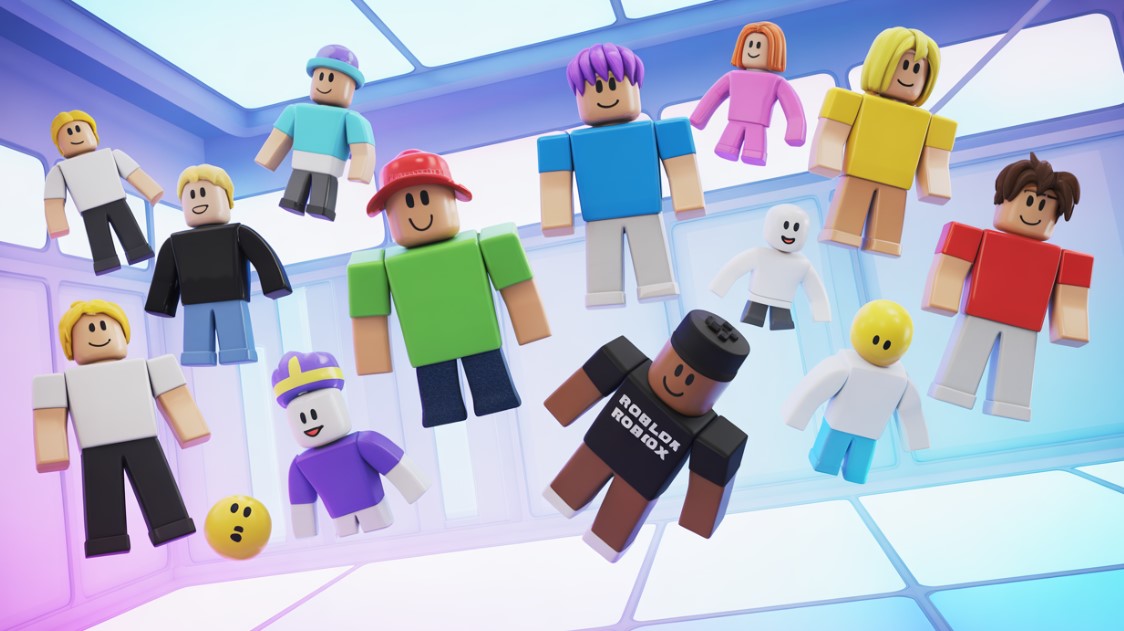
Crafting Your First Roblox Avatar
Hey there, future game makers. I’m speaking from the heart of the ChiefGames team – a bunch of devs, artists, and hardcore Roblox grinders who’ve shipped experiences that millions have jumped into. You know that moment when you spawn into a new game and your avatar just… fits? Or worse, it clips like crazy and tanks your vibe? That’s where it all starts. Creating a solid Roblox avatar isn’t just playtime; it’s your first lesson in character design. For aspiring devs like you, nailing this means understanding player psychology – why folks stick around, how they flex in your lobbies.
The thing is, Roblox’s avatar system powers everything from casual hangouts to your next tycoon. And honestly? It’s evolved a ton by late 2025. We’ve got smoother editors, better rigging tools, and dev controls that let you tame wild UGC. But let’s not overcomplicate. You wanna build one right now? Grab your browser or app. We’ll walk through it, incorporate developer hacks, and share what we’ve learned from prototyping our own assets.
First off, log in to Roblox.com or fire up the app. Head to the Avatar section – it’s located in the left menu on the web or at the bottom tabs on mobile. Boom. You’re in the editor. See that 3D preview spinning? That’s your canvas.
Kick Off in the Browser Avatar Editor
PC or laptop? This is where the magic happens. The browser editor – updated mid-2025 for faster loads and better search – gives full control. Here’s the no-BS walkthrough.
Click any category dropdown. Roblox splits it smart: Body for scales, Outfits for presets, then Head, Upper Torso (neck, shoulders, front, back), Lower Torso (waist), Clothing, and Emotes. Search the catalog mid-edit – type “cyber hat” or whatever floats your boat. Filter by free, price, or sales. Equip with one click. Unequip? Hit the X:
- Scale your body: Height, width, head size, proportions. Slide to blocky noob or sleek Rthro pro.
- Skin tones: 28+ shades now, with dynamic lighting previews.
- Layers: Stack shirts under jackets. Pro tip – check collisions in preview.
Save as an outfit. Name it “ChiefGames Dev Rig.” Done. Takes two minutes for basics, hours for drip.
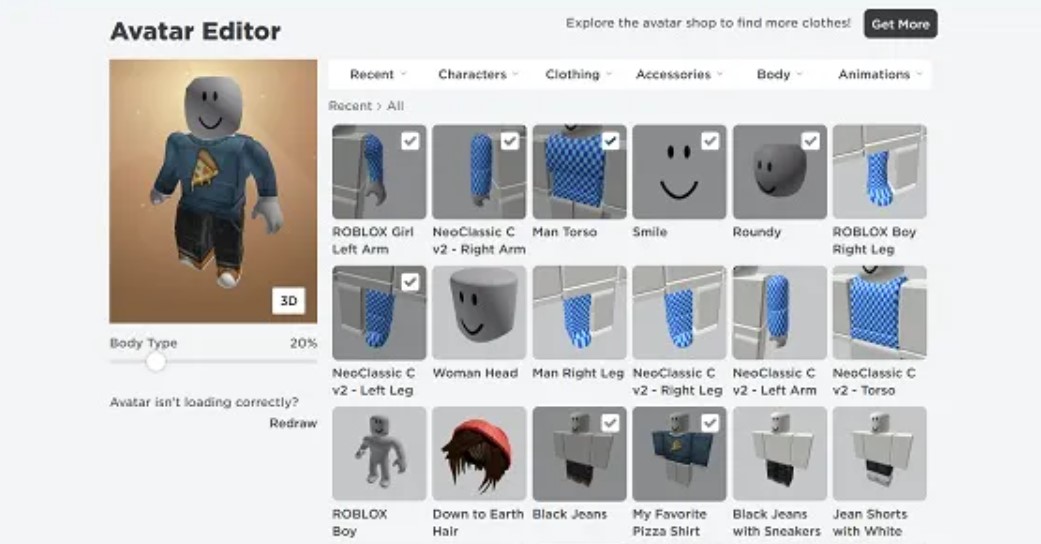
But wait – mobile users, don’t sweat. The app’s editor got a glow-up too. Tap Avatar > Customize. It’s slide-bar simple: Yes/No for inventory items, Skin tab for tones. Limited categories, but equip fast. Save outfits the same way. If you’re testing on phone for your mobile-first game, this mirrors player flow perfectly.
Ever wonder why some avatars pop in screenshots? Silhouette. As artists, we always sketch ours first – strong shapes that read from afar. Try it.
| Avatar Type | Joint Count | Best For | Dev Notes |
|---|---|---|---|
| R6 | 6 | Classic games, simple animations | Easy scripting, but no fancy poses. Limit in modern titles. |
| R15 | 15 | Most experiences | Smooth walks, emotes. Default now. |
| Rthro | Scaled R15 | Realistic proportions | UGC heaven. Use Avatar Setup for customs. |
| Blocky | Variable | Retro vibes | Quick prototypes. |
This table? Straight from our Studio tests. Switch types in the Body tab – preview animations instantly.
Dial In Body and Proportions Like a Pro
Your Roblox avatar’s body sets the tone. Think of it as blocking out a mesh in Blender before UVs. Sliders galore: Head Scale (don’t go cartoon goblin unless thematic), Torso Height/Width, Arm/Leg Proportions. 2025 added Custom Scale – lock ratios for your game theme.
Rthro’s the meta. It auto-adjusts for realism, but devs: Watch polycount. Oversized heads spike lag in big lobbies.
Quick tips from our team:
- Start tall and narrow for heroes; squat and wide for tanks.
- Test walks – does it clip floors? Preview emotes.
- Match game physics. In obbies? Lean slim.
Feels off? Hit Redraw. Resets layers clean. And hey, skin tones. Not just beige anymore – vibrant hues with subsurface scattering previews. Emotional hook: Players feel seen. As devs, bake this into onboarding.
Stack Accessories and Layered Clothing
Now the fun. Accessories: Up to 14 slots (hats x3, hair x4, etc.). Limits per type prevent mega-clipping. Search “free UGC shoulder” – equip, resize if layered. Layered Clothing (LC): Game-changer. Shirts, pants, jackets as meshes. Stack ’em. Devs love this for custom fits – upload your own via Studio.
Front/Back/Neck/Waist: Pauldrons, capes, belts. Mix classic 2D shirts with 3D:
- Hair: Dynamic physics now. Pick flowing for speedsters.
- Faces: Animated UGC faces – subtle blinks sell personality.
- Emotes: Idle, wave, dance. Preview in editor.
Pro dev hack: Export your avatar as HumanoidDescription. Script it into NPCs. Saves hours.
| Accessory Category | Max Slots | Beginner Pick | Pro Tip |
|---|---|---|---|
| Hat | 3 | Fedora classics | Layer under hoods |
| Hair | 4 | Messy bangs | Physics-enabled for wind sims |
| Shoulder | 2 | Wings | Collision off for flight games |
| Face | 2 | Smirk | UGC animated for lore depth |
| Waist | 4 | Belts | Scale to body width |
Use this for budgeting your UGC drops.
Roblox Avatar Items: Hunting and Creating UGC
Catalog’s endless. Free filter first – loads of gems. Trends? Cyberpunk neon, retro blocky comebacks in 2025.
But devs – create your own. Monetize via Marketplace. Beginner UGC flow:
- Model in Blender (free). Low-poly: 5k tris max.
- Rig to Roblox skeleton (free addons).
- Import to Studio via 3D Importer.
- Avatar Setup tool auto-rigs, adds attachments.
- Test preview: Skin swaps, clothing layers.
- Publish – pay fee, moderate, sell.
We’ve shipped hats that earned Robux passively. Start small: A face. Texture in Photoshop, upload as decal-wrapped head.
Common pitfalls:
- Forgot Motor6D welds? Clips everywhere.
- High poly? Rejects moderation.
- No depth scale? Looks flat.
Roblox Avatar UGC: Workflow for New Artists
Aspiring artist? UGC’s your portfolio. From ChiefGames: Prototype in editor first. Buy cheap bases, remix. Blender basics:
- Box model your accessory.
- Armature modifier > Roblox rig.
- Weight paint carefully – elbows tricky.
Upload shoes? Special cages. Docs guide it. 2025 PBR materials shine – metallic belts pop. Tie to your game: Custom bodies via Avatar Setup. Turn hero models into wearables.
Tame Avatars in Your Games with Settings
Players go wild. Solution? Avatar Settings – 2025 Studio gem. File > Avatar Settings. Preview pane pops up.
- Lock scales: All 5’8″ warriors.
- Strip hats in PvP.
- Uniform collision: No tiny exploiters.
- R15 only: Consistent anims.
Save place. Instant. Our tycoons? Zero more ragdoll chaos.
Build In-Game Roblox Avatar Editors
Want players customizing mid-game? AvatarEditorService.
Beginner script (ServerScriptService):
local AvatarEditorService = game:GetService("AvatarEditorService")
AvatarEditorService:PromptSaveOutfit() -- Saves their look
Prompt inventory access first. GUI buttons for categories. Tutorials abound – DevForum gold.
- Open catalog prompts.
- Load outfits to NPCs.
- Monetize with exclusive items.
We’ve got one in our next social hub. Retention skyrockets. Why care as beginner dev? Players own their look – loyalty. Plus, UGC revenue funds your grind.
Lessons from ChiefGames: Dev Takeaways
Across projects, avatar flexibility = engagement. Test extremes: Giant mechs in fighters? Lock proportions. Fashion sim? Full freedom:
- Analogy: Like tuning a race car. Base model’s solid; tweaks win races.
- Subtle contradiction: Free items tempt, but premium UGC feels premium. Balance both.
- Digression: Remember early Roblox? Blocky kings. Now Rthro rules, but classics loop back. Study trends – your next skin could bank.
FAQ
How do I switch my Roblox avatar to Rthro?
Body tab > Proportions > Slide to realistic. Preview walks.
Can I create a Roblox avatar on mobile fully?
Basics, yes – inventory, skin. Full layers? Browser better.
What’s the polycount limit for Roblox avatar UGC?
5k-10k tris. Check moderation rejects.
How does Avatar Setup work for customs?
Import model > Avatar tab > Run. Auto-rigs.
Free items for Roblox avatar?
Catalog > Free filter. Hundreds weekly.
R6 or R15 for my game?
R15 default. R6 for legacy speed.
Script AvatarEditorService errors?
Prompt inventory access first. Check DevForum.
Wrapping up – you’ve got the blueprint. Experiment. Your first Roblox avatar? Just the start of epic designs. At ChiefGames, we live this daily. Support the squad: Share this post across socials, bookmark for later. Hit us up direct for collabs – creative sparks or commercial gigs. Let’s build together.